The only Match-to-Sample engine built on real behavioral science

An adaptive learning platform for instructors, families, and researchers. Match-to-sample training with mastery tracking, configurable errorless learning, and remote supervision — built to meet every student where they are, from 18 months and up, including children with learning disabilities.

5
MTS Levels
450+
Stimuli
4
Research Paradigms
The Solution

Software designed by specialists

Other tools

Fixed difficulty — every student follows the same sequence
No real mastery measurement — just raw percentages
No error pattern detection
English only
Closed ecosystem — no integrations with external tools
No content sharing — build every module from scratch

INTERLAZA

Per-concept continuous adaptation
Intelligent tracking — mastery at > 95% certainty
5 error detectors with automatic remediation
Native bilingual ES/EN
Fully flexible and adaptable to each student
Open integrations — webhooks, Google Sheets, IEP reports
Community module store — clone from other professionals

Everything a professional or researcher needs

Adaptive MTS Training

Match-to-sample exercises that adapt to each child's skill level using real-time performance data.

Bayesian Knowledge Tracing

Real-time mastery estimation personalizes every session — no more guessing whether a child has truly learned.

Stimulus Equivalence

Train 2 relations, derive 4 more for free. Sidman's stimulus equivalence paradigm, fully digitized with probes.

Relational Frame Theory

Coordination, distinction, opposition, and hierarchy frames built-in — the broadest RFT coverage in any consumer-tier tool.

Errorless Learning

6-phase distractor fading with 5 configurable prompt types: opacity, size, highlight, arrow, and position.

Smart Interventions

Real-time error pattern detection with automatic adjustments — position bias, perseveration, fast guessing, and more.

Transfer Matrix

Varela's 15-level transfer paradigm for systematic generalization across dimensions, modalities, and instances.

Clinical Reports

AI-powered progress summaries and intervention suggestions — clear narratives instructors can share with families.

Open Integrations

Connect with Zapier, Make.com, Google Sheets, and IEP systems via webhooks. Export data where you need it — no closed ecosystem.

Community Store

Browse and clone training modules shared by other instructors, researchers, and parents. Filter by paradigm and age group, see what is trending, import in one click — every module authored under a real name with a visible clone count.

Instructor Data Entry

Run a session with physical stimuli or off-screen materials and score each trial yourself with the on-screen Tap Pad — no tablet in the child's hands required. Live IOA shadow scoring lets a second observer compare in real time.

Free Operant

Score spoken or signed verbal behavior off the tablet — echoic, mand, tact, and intraverbal — with no comparison cards. Present a cue, record the response, and it joins the same mastery and BKT tracking as every other activity.

Your Own Stimuli

Upload your own photos, drawings, or audio clips and use them in any exercise — bring familiar faces, household objects, or context-specific items into training without losing the rest of the engine.

Background Removal

When you upload a custom photo, the background is removed automatically and the subject is centered on a clean canvas — so a snapshot from your phone looks as polished as a curated pictogram.

How It Works

One engine. Every exercise type.

From identity matching to equivalence relations and relational frames — all in one adaptive platform.

Interlaza match-to-sample trial screen showing a matching exercise on a tablet

Multiple exercise types

Identity matching · Non-identical matching · Symbolic (word→image) · Auditory (sound→image) · Equivalence, relational frames, and more. Each type adapts its difficulty automatically based on the child's real-time performance.

Interlaza stimulus library showing 450+ concept cards including realistic photos, pictograms and shapes

450+ stimuli ready to use

Our own library of realistic photographs, pictograms, geometric shapes, and sounds — created and curated for this platform. Organized by category, animacy, size, and frequency. Add your own photos or AI-generated images at any time.

Instructor Mode

Off-tablet sessions, recorded in one tap.

Sometimes the child works with physical cards, real objects, spoken language, or in a setting where a tablet doesn't fit. Interlaza tells the instructor exactly what to present next and how many trials to run, then captures each response from the instructor's phone — independent, prompted (with prompt type), incorrect, or no response. Same trial-by-trial data as a tablet session, with the program doing the planning.

Tap Pad — instructor data-entry screen showing four response zones and five prompt levels

The program plans. The instructor records.

The header shows which card is the sample and which is the target (ringed in amber), plus the trial counter — Interlaza picks the next stimulus and the number of trials based on the child's mastery level. Four zones below — Independent, Prompted (with five prompt types), Incorrect and No Response — let the instructor record each response with one tap, eyes on the child, not on the screen.

Instructor sitting with a young child, presenting physical cards while holding a phone to record responses

For paper, objects, and hands-on teaching

Ideal when the learner is too young, too active, or simply needs a physical setup. The instructor holds their phone with the Tap Pad open while presenting real materials. Sessions sync to the same dashboard as tablet runs — one continuous record per student.

Three ways to run a session off the tablet

Card-based MTS

Lay out physical pictogram or photo cards from the library and record each match. Interlaza tracks the sample, the target, and the prompt level.

Text-only MTS

Define your own samples and comparisons as plain words — no images needed. Ideal for readers, labels, or materials you bring yourself.

Free Operant

No comparison cards at all. Present a cue and score the spoken or signed response across four verbal operants — echoic, mand, tact, and intraverbal.

Before each session, print the trial plan — sample, comparisons, and targets laid out as a checklist, or pictograms as ready-to-cut cards — so the materials are staged before you sit down with the child.

See it in action

How a session works

1

Answer a few questions

2

Get a suggested pathway

3

Watch them learn

Clinical Analytics

Research-grade data. Every session.

Every trial records phase, prompt, response time and error patterns.

Mastery Curve
Mastery probability per trial · 0.95 threshold
0.95
Session Accuracy
Independent vs prompted · 8 sessions
38%
S1
47%
S2
55%
S3
61%
S4
70%
S5
79%
S6
85%
S7
91%
S8
Independent Prompted
Error Patterns
5 detectors · Every 10 trials
Position bias
18%
Overselectivity
12%
Prompt dependency
74%
Perseveration
8%
Fatigue signal
22%
Prompt dependency detected (74%) — 3-correct fading applied
Generalization Probes
3 levels · No feedback
Level 1 — Intra-exercise
Novel exemplar
94%
Level 2 — Cross-modal
Different modality
78%
Level 3 — Cross-exercise
Untrained exercises
61%

Built for every stakeholder

Parents

Support your child with science-backed learning at home — guided exercises you can run together every day.

  • Simple, touch-friendly interface built for young children
  • Guided by the same evidence-based techniques used in clinical practice
  • Track your child's progress with clear weekly summaries

Instructors

The only platform that brings BKT, errorless learning, and stimulus equivalence together in one clinical tool.

  • Bayesian Knowledge Tracing — know exactly when mastery is achieved
  • Real-time supervision with live trial streaming for remote supervisors
  • Automated intervention suggestions based on error pattern analysis

Researchers

Full access to trial-level data, manual trial design, and the complete Varela Transfer Matrix module.

  • Export raw trial logs in JSON or CSV for external analysis
  • Manual Trial Designer for custom stimulus configurations
  • Varela 15-level transfer paradigm with full dimension control

Why Interlaza helps

Real advantages you will see from day one — whether you are a parent, a professional, or a family with a child who simply wants to learn faster.

For parents

A serious tool you can actually use at home — no scattered videos, no spreadsheets, no guesswork.

  • Daily sessions of 10–15 minutes that fit before school or after a snack
  • Difficulty adapts to your child in real time — never too easy, never too hard
  • Continuity with the professional: clone their programs and keep working between sessions
  • Works offline — on a plane, at grandma’s, in the waiting room
  • Clear weekly summaries — no tables, no jargon, no homework
  • The tool tells you when something has actually been learned — not a guess, a measurement
Meet INTERLAZA

For professionals

Cuts the 60% of your week that goes into documentation, materials and setup — so the session itself can grow.

  • Ready-to-clone curriculum templates — go from idea to running session in two minutes
  • Probabilistic mastery (BKT): know when learning is robust, not a statistical fluke
  • Real-time error pattern alerts with concrete adjustments you can apply with one tap
  • AI-drafted progress reports based on real session data — ten minutes instead of an hour
  • Home-school-clinic continuity through cloneable programs and live supervision
  • Probabilistic mastery tells you when a concept is actually learned — no more guessing when to move on
Instructor guide

What the child learns

Concrete learning outcomes you can expect — the engine adapts to typical learners and to children with learning difficulties alike.

  • Receptive vocabulary at real speed — 15–20 new concepts per week is realistic
  • Reading readiness through symbolic relations: sound-to-image, spoken-word-to-image and written-word-to-image — no pressure, no books
  • Categorization, same/different, opposites — central reasoning skills, trained playfully
  • Active screen time that demands a response every few seconds — closer to a book than to YouTube
  • A second language in parallel: run the same session in Spanish and English in the same week
What is Match-to-Sample

For researchers

Build your own studies on top of a platform you don’t have to maintain — and on data infrastructure that already meets the bar.

  • Encrypted data at rest and in transit, hosted in the EU — GDPR and COPPA-ready out of the box
  • Raw trial-level export in JSON or CSV — your data, your analysis pipeline, no lock-in
  • Manual Trial Designer: define your own stimuli, distractor pools and trial sequences
  • Custom relational frame dimensions (Cfunc): go beyond the predefined frames and run your own
  • Full Varela 15-level transfer matrix with four configurable factors for systematic transfer studies
How BKT works

A few real exercises

These are actual trial screens from the app. The child sees the sample on top and taps the match below — the engine handles difficulty, fading and feedback.

L1 · TAP
Guided
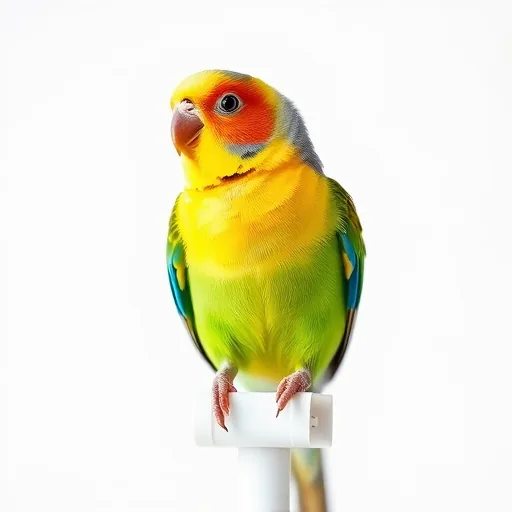
BIRD
=
bird pictogram
dog photo

Identity match

The simplest level. Same concept across two exemplars — the child learns to recognize "bird" in a realistic photo and in a pictogram.

L1 · TAP
Guided
Tap to hear
=
apple
banana
dog

Sound → image

Cross-modal match. The child taps the speaker to hear a word and then picks the matching image. Trains receptive language before reading is in play.

L1 · TAP
Guided
APPLE
=
apple
banana
dog

Written word → image

Reading readiness without books. The sample is just the written word — the child links it to the matching object, the same mental relation reading later requires.

L1 · TAP
Guided
COW
=
milk
juice
tea

Equivalence

The most complex of the four. A cow produces milk — equivalence trials build categorical links the child can transfer to new situations.

Ready to see the difference?

Start your 14-day free trial. No credit card required.

Join the waitlist