“He gets it wrong, gets frustrated, and throws everything.” If that sentence sounds familiar, this article is for you. Errorless learning is one of the most useful techniques in structured teaching, and one of the least known outside professional circles. The idea is counterintuitive: instead of letting the child make mistakes and “learn from errors”, you design the task so that getting it right is very likely at first — then withdraw the help in small enough steps that no single one reads as a jump.
The problem with errors
For many children, and especially many children with autism, an error is not neutral information — repeating it isn’t automatic proof that anything reinforced it, but where the wrong answer has any history of paying off, or the choice is small enough that guessing wins sometimes, those repeats do become rehearsal. If a child answers wrong three times in a row under those conditions, they haven’t had three learning opportunities; they’ve practiced the wrong answer, with frustration piling on top. Repeated errors, when they take hold, produce two things: habits that are hard to undo, and avoidance of the activity itself.
Errorless learning flips this: if the child succeeds from the very first trial, what gets practiced, and reinforced, is always the correct response.
How it’s done: prompts that fade
The trick is in prompts and their gradual withdrawal (fading). An example with a matching activity:
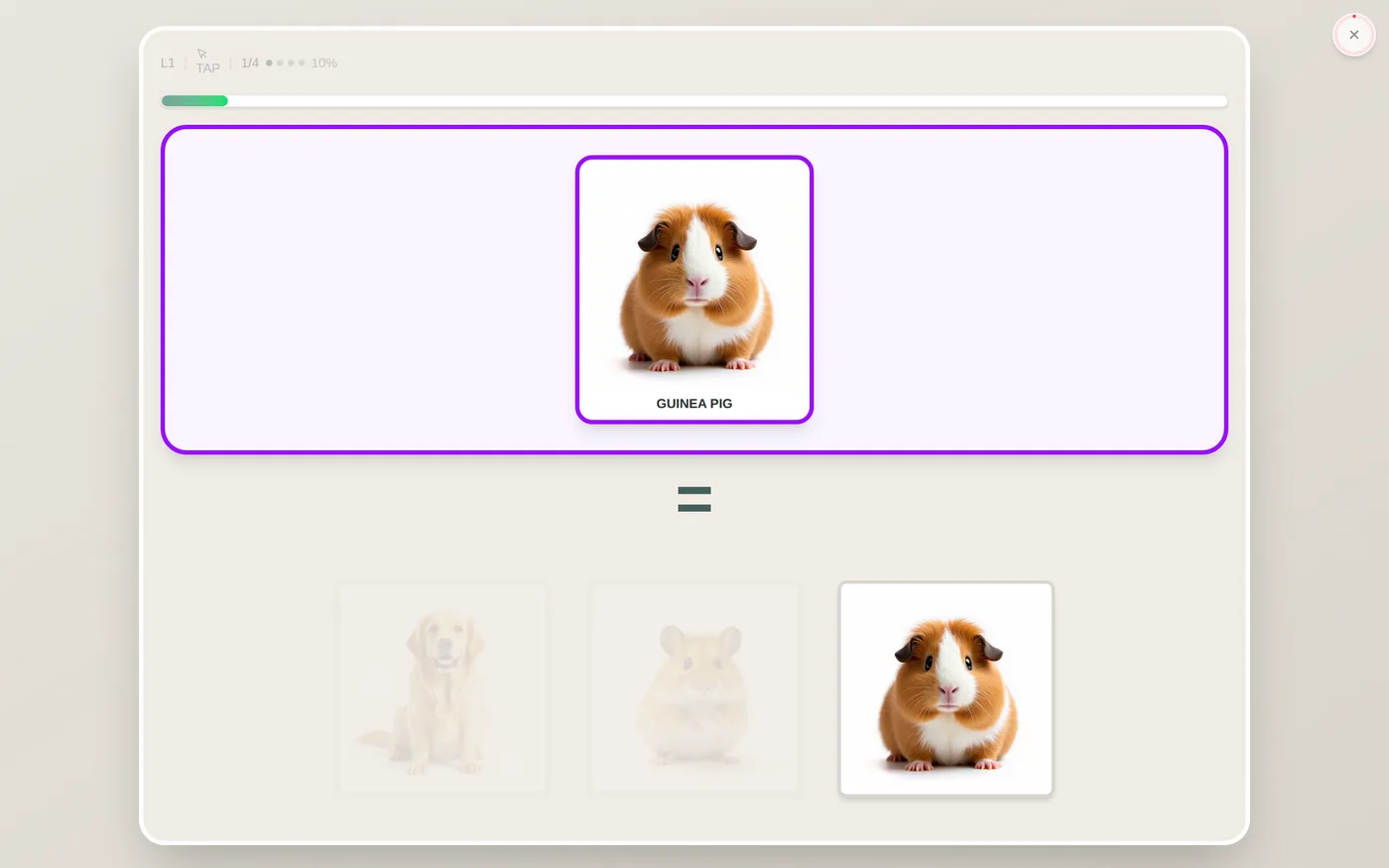
- At first, the correct option is shown clearly and the distractors are nearly transparent. Failing is unlikely by design — it’s still a choice among options, just one where the correct answer is the only visually obvious one.
- As the child succeeds, the distractors become more visible, little by little.
- At the end, all options are equally visible — they still show different things, only the opacity difference is gone. The child responds with no help at all, whatever came before it in the session.
Here is that sequence drawn, with the same numbers the app uses:
Figure — The same trial, three phases of help
Sample
Phase 1 · 10 %
Failing is unlikely by design. It is still a choice among three options, not a pairing with no response required — the correct one is simply the only visually obvious answer, so the sample and the correct comparison sit side by side as far as the child can tell.
Sample
Phase 2 · 62 %
The child keeps succeeding, so the distractors keep gaining presence. Withdrawal is gradual on purpose: no phase is a jump.
Sample
Phase 3 · 100 %
All options at full contrast. The child answers with no help — this trial is unprompted, whatever came before it in the session.
Each success moves help one step down.
One error moves it one step back — immediately.
The 10% floor in phase 1 is deliberate and never rises: with the distractors barely visible, the correct answer is the one visually obvious option, and that arrangement starts teaching before the child has had to choose under any real uncertainty.
The three opacities are computed with the same fading formula the app runs (floor 10%, gentle curve, final phase always 100%), for its default of three phases per concept.
Transparency is just one kind of prompt. Size works too (the correct one bigger at first), highlighting, or pointing with your finger and gradually withdrawing the gesture. The principle is the same: lots of help at the start, gradual withdrawal, zero sudden jumps.
Hence the most common convention: if the child gets it wrong, step back a level. One isolated error is no big deal; two in a row usually mean the help was withdrawn too fast.
It’s worth saying where that “one” and that “two” come from: they are Interlaza’s default setting and a common practice, not an established constant. The literature comparing prompting procedures does not converge on a single rule — results vary by task, by child and by prompt type, and there are trials where a most-to-least procedure wins for some participants and not others. What the evidence does support is the general shape — that help is withdrawn against a written criterion and that errors send it back — not the exact number. If one isolated error derails your child’s session, step back sooner; if they take it in stride, you can be less strict.
What the science says
The procedure comes from Herbert Terrace’s work in the 1960s, which showed that difficult discriminations could be taught with virtually no errors if prompts were introduced and removed systematically. Decades of applied research since have made it a standard of structured teaching for children with autism: fewer errors during acquisition is associated with fewer escape behaviors and a better attitude toward the task — the results, including how much faster learning goes, depend on the procedure and the individual child, not a guaranteed outcome of the technique itself.
How to apply it at home
You don’t need software to use the principle:
How Interlaza does it
Applying this by hand, with exactly the right dose of help for each concept on each day, is hard even for professionals. In Interlaza the fading is automatic wherever this technique applies to an activity: every concept in that activity starts with distractors dimmed, help is withdrawn at the child’s actual pace of success, and a single error rolls the help back one step, instantly. Each concept keeps its own pace — a child can be at the final phase with “dog” and the first phase with “triangle”.
Fading alone can’t tell you whether the help is still doing the work, so the app checks that too: it periodically reads whether the child is getting it right without any prompt present, and separately runs occasional no-feedback trials on material outside what’s being trained — the only way to see whether the response holds up on its own. And if a child turns away, pushes the tablet back or otherwise wants to stop, that gets recorded as declined rather than answered for them or scored as a wrong response.
It’s the same logic a good instructor would use with cards, executed with millisecond precision on every trial. Here is what phase 1 actually looks like on screen: